Notes · November 2026
Four small apps. Built for exactly one person.
The people I meet, the birthdays I shouldn't forget, the ideas I keep having, and what I'm doing today. Each one lives in an app I built for myself. None of them would survive a product review. That's the point.
Adil Hooda, Principal
01
Names
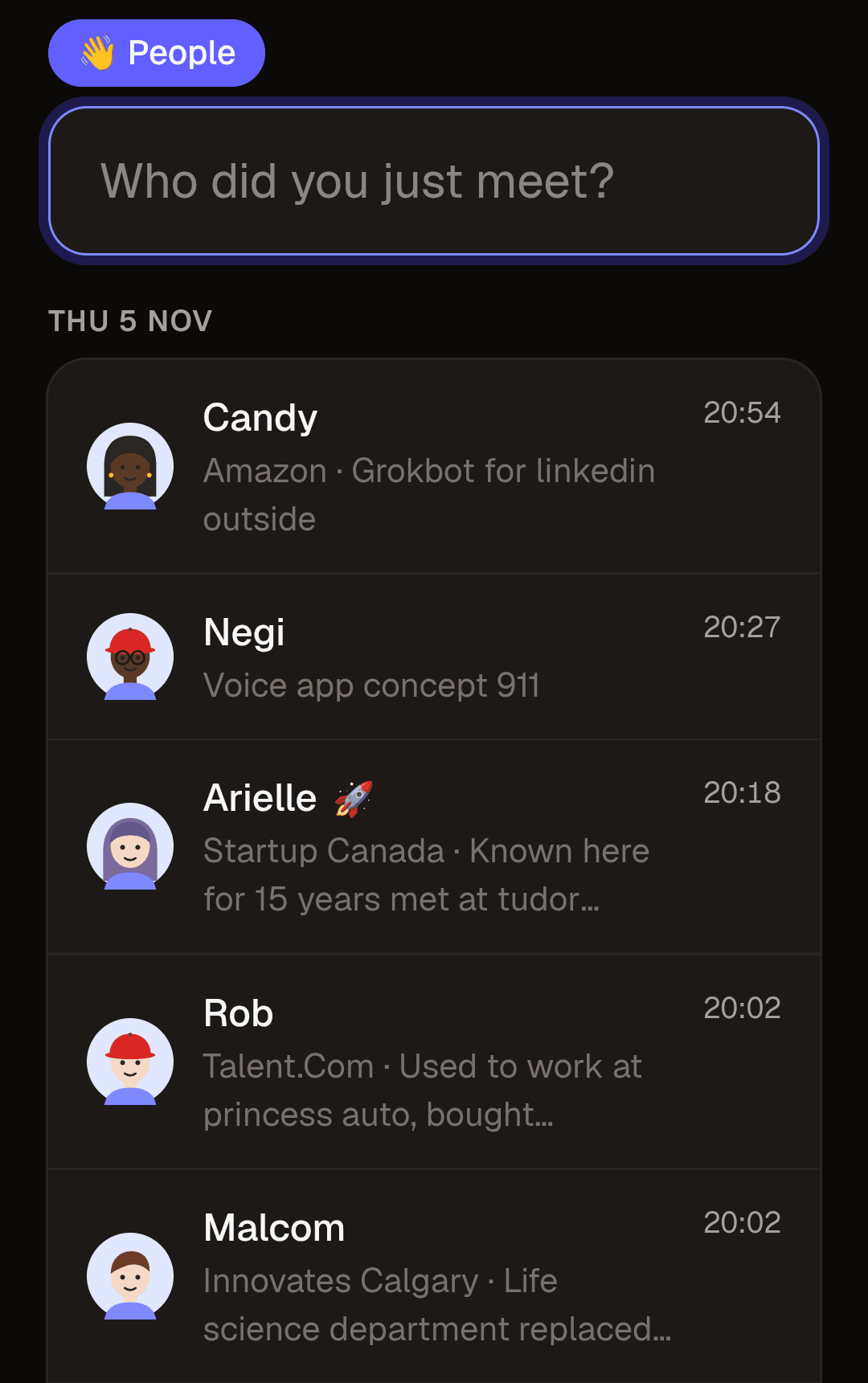
At an event you get about ten seconds between handshakes. A contacts app wants a first name, a last name, a company and a save button. Mine opens on one field. I type a name, press Enter, and it's saved with the time. If there's a spare moment I tap the entry and add the company and a line about what we talked about. The same field also searches, so I find out I've already met someone before I introduce myself twice.
At a launch party in Calgary this month I logged 20 people in about two and a half hours. The next morning, AI agents took that list, found 19 of them on LinkedIn, fixed my spelling, and drafted a connection note for each person from what I'd jotted down. No contacts app would have done that, because no contacts app knows that's what I do the morning after.
A business card tells you who someone is. A half-sentence typed on the night tells you what you actually talked about.
02
Birthdays
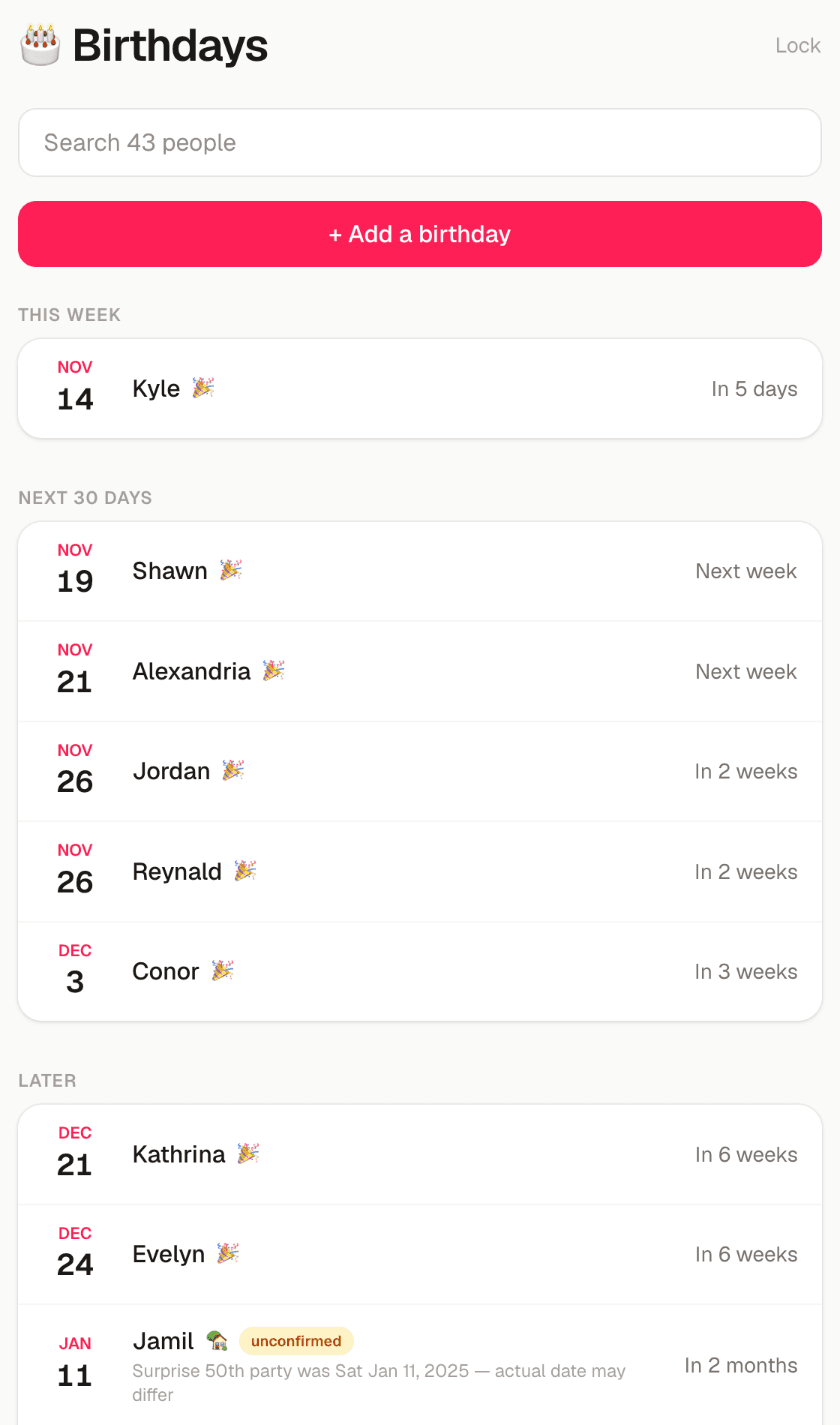
One list, sorted by what's coming up, showing how old each person is turning when I know it and flagging the dates I'm not sure about. One button adds every birthday to my calendar, repeating each year, with a reminder the day before and another on the day. The one the day before is the useful one. That's the one that leaves time to do something about it.
There's no server behind it at all. The list is encrypted, and when I change something the app hands me a plain list of the changes to paste into Claude, which updates the data and republishes the app. No product company could ship that. For one person it's perfect.
03
Ideas
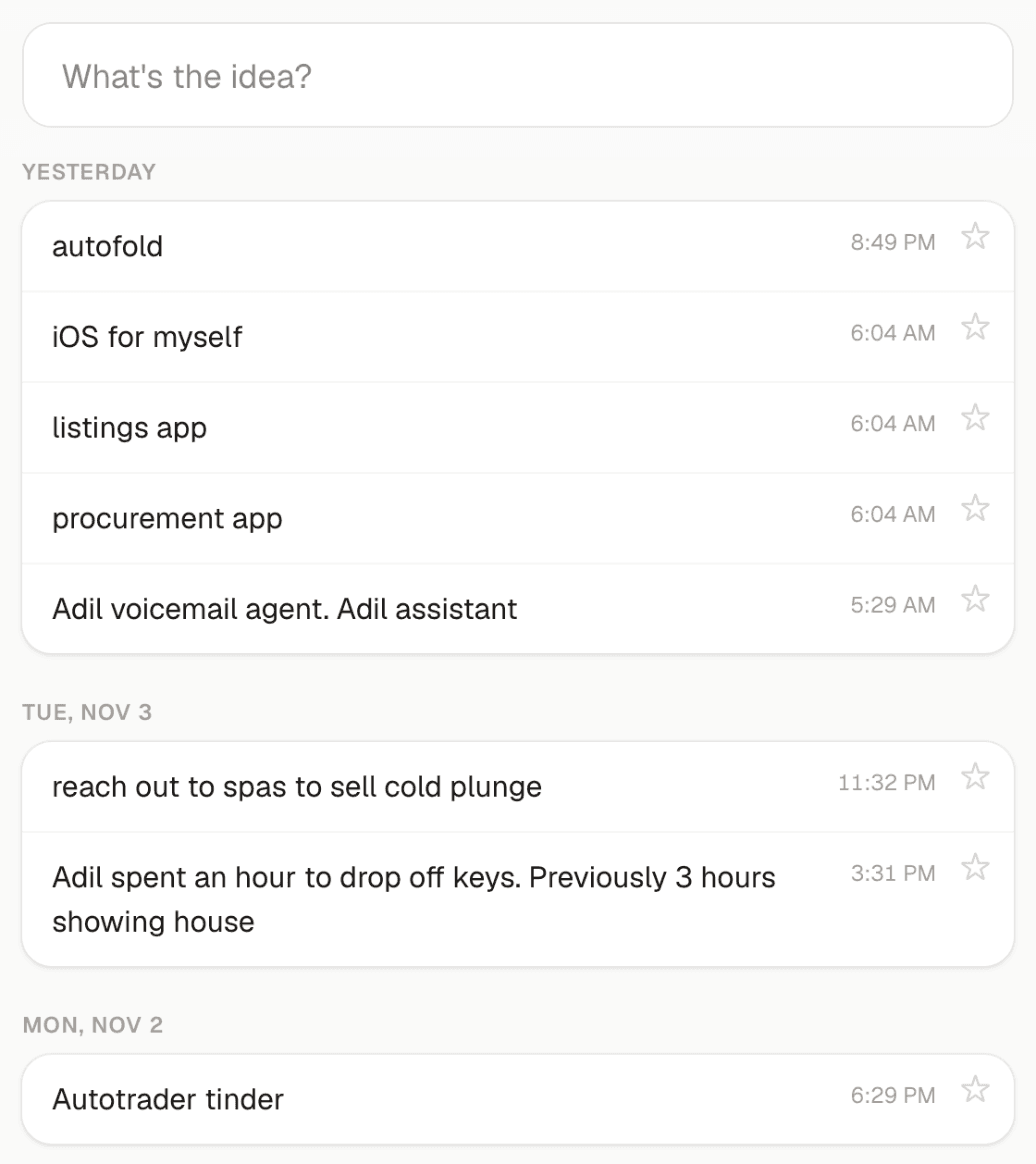
One box. Type the idea, press Enter, it's kept. As I type, the app tells me how many similar ideas I've already written down, which turned out to be the best feature it has. When I've had the same idea three times, that usually means I should stop writing it down and do something about it. Stars mark the ones worth coming back to. That's the whole app.
04
To-dos
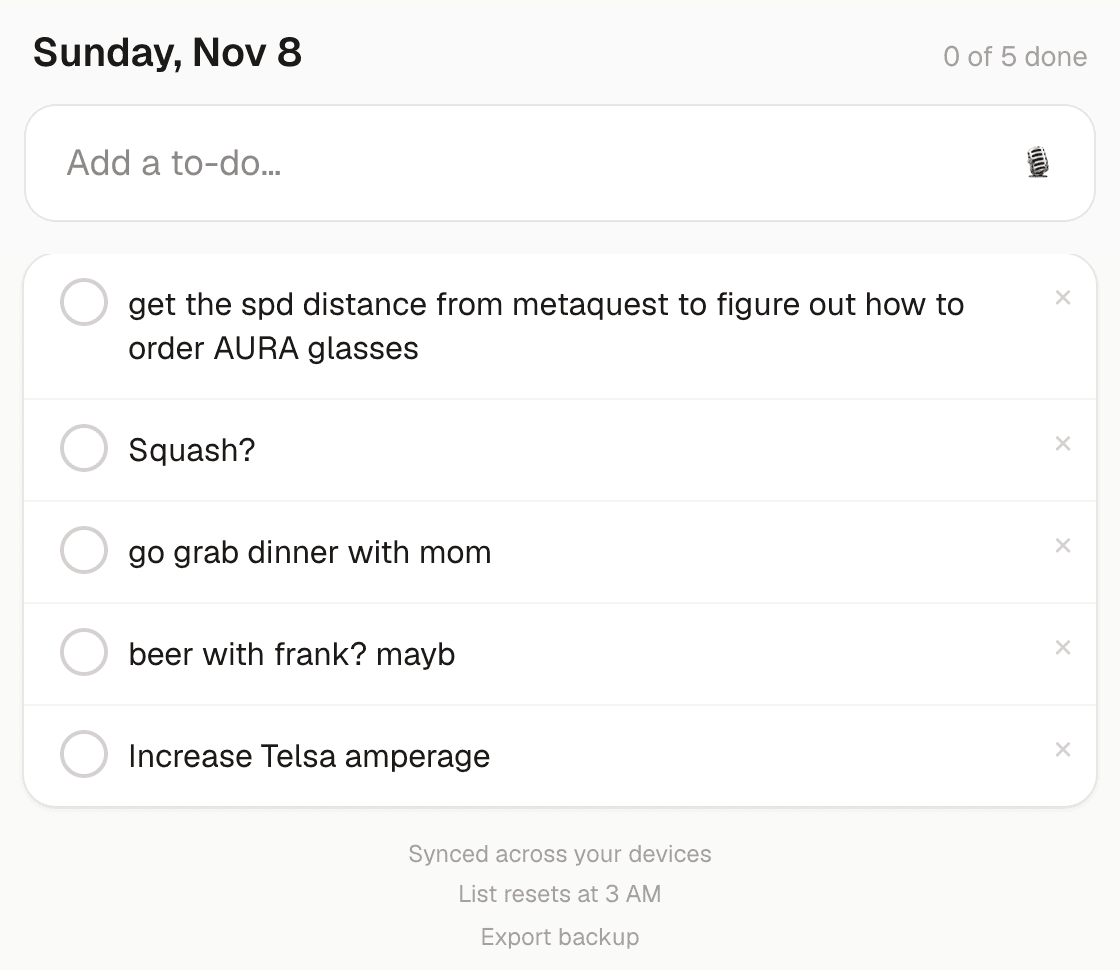
The list is only ever today. I can type items, or tap the microphone and ramble for up to two minutes about what I've got on, and an AI model turns it into a clean list of things to do. If I lose signal, the recording waits on the phone and goes through when I'm back.
It resets at 3 AM, not midnight, because a late night is still the same day. Nothing is deleted. Yesterday's list just stops being in my way.
Why made-for-you beats good enough
Software built for everyone has to ask everyone's questions. Every field you don't need, every screen between you and the thing you came to do, is a small tax. Small taxes are why most of the apps on your phone got abandoned. An app built around one routine has none of them, because anything that routine doesn't need never got built.
The bigger win is what happens next. The value of these apps is hardly the screens. It's the handoff: the name on my phone becomes a LinkedIn note, the birthday becomes a calendar reminder, the two-minute ramble becomes a list. Off-the-shelf tools stop at their own edge and leave you to carry the work across. A tool made for your workflow knows where the work is going.
You also get to make the rules. Nobody selling a to-do app to millions of people is going to ask me when my day ends.
A few years ago, an app for one person was a ridiculous thing to pay for. AI changed that math.
Small, focused tools are now practical to build, and just as practical to change when your routine does. That doesn't mean everything should be custom. Buy your accounting and your payroll. Build where your way of working is the advantage, or where someone is retyping the same information from one tool into another.
The same thing, at work
Companies have this problem with higher stakes: the spreadsheet only one person understands, the details copied from an email into a system and then into an invoice. We run Prairiefold the same way I run my phone. Our booking, shared inbox, call list and meeting notes are all apps we built around how we actually work.
If there's one step in your week you keep doing by hand, that's where I'd start.
What would yours look like?
Tell us the step in your week that's still manual. We'll say whether a small custom app would fix it and what it would cost. If it wouldn't, we'll say that too.